
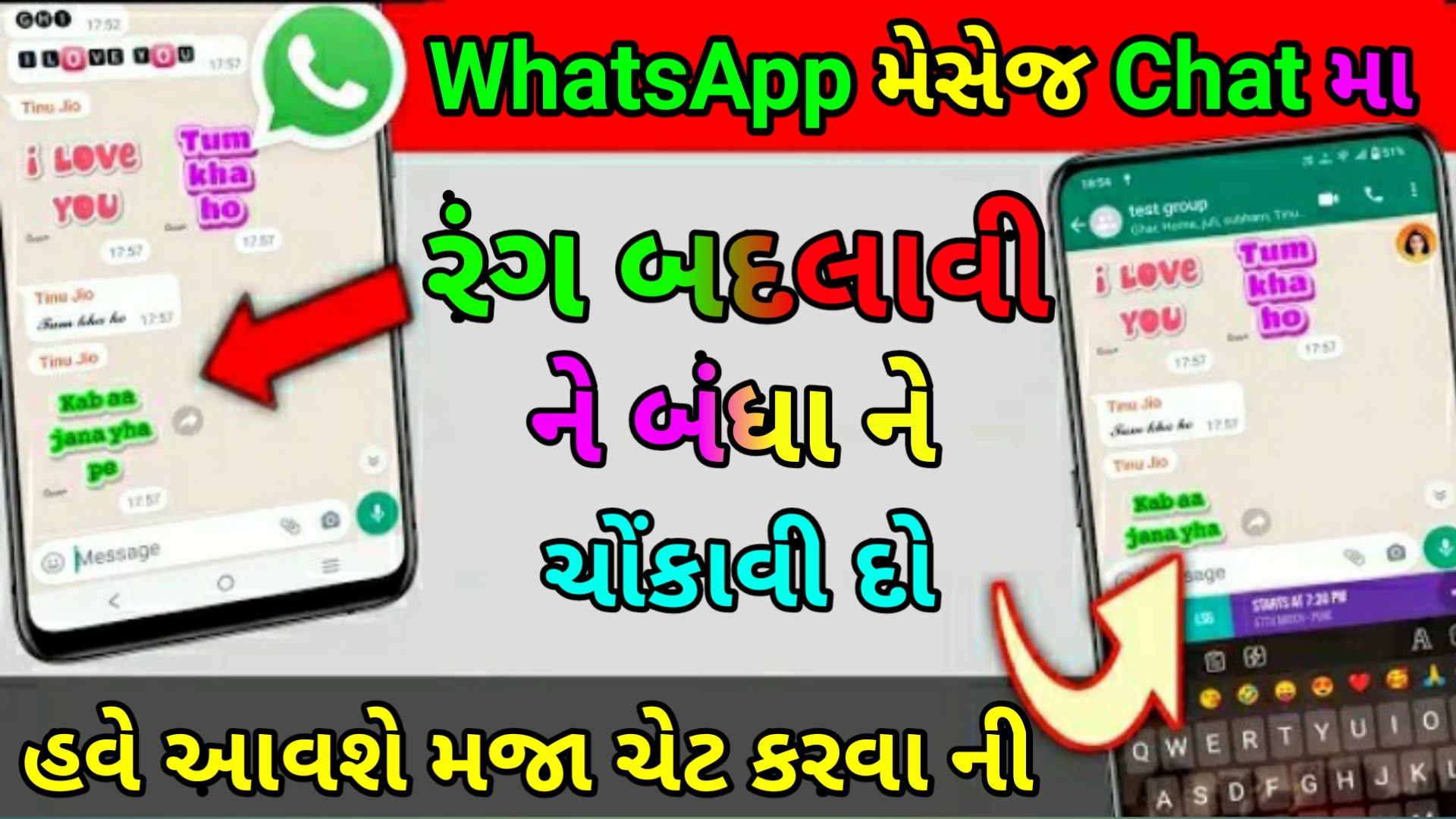
WhatsApp ચેટ ને બનાવો કલર ફૂલ || How to WhatsApp Chat Color Design

Sharing This

મિત્રો, તમે બધા સારી રીતે જાણો છો કે Whatsapp એક એવી લોકપ્રિય એપ્લિકેશન છે જેનો દરેક ઉપયોગ કરે છે, અને તમને જાણીને આશ્ચર્ય થશે કે ઇન્ટરનેટ પર 180%+ Whatsapp ફોન્ટ ટ્રિક સર્ચ કરવામાં આવી રહી છે. એટલે કે, લોકોને એકથી એક શૈલીમાં ચેટ કરવાનું ખૂબ ગમે છે. તો આ જોઈને, અમે પણ વિચાર્યું કે શા માટે તમને આવા અદ્ભુત કીબોર્ડ વિશે જણાવવામાં ન આવે જે તમને whatsapp પર ચેટ કરવાની રીતમાં વધારો કરશે, હા, જાણવા માટે VIDEO માં જ રહો.

કોઈપણ એપ વગર વોટ્સએપ ફોન્ટ ટ્રીક?
મિત્રો, જો તમે જાણવા માંગતા હોવ કે શું એવી કોઈ વોટ્સએપ ફોન્ટ ટ્રીક છે જે કોઈપણ એપ વિના શક્ય છે, તો જવાબ છે હા. પરંતુ આમાં એક સમસ્યા છે, તમે વોટ્સએપ પર ફક્ત 3 ફોન્ટ ટ્રિક્સ લાગુ કરી શકો છો અને તે જ સમયે તમારે થોડું કામ કરવું પડશે, તો જો તમે તૈયાર છો તો ચાલો જાણીએ.

1- Whatsapp ફોન્ટ ટ્રીક અન્ડરલાઇન
જો તમે કોઈપણ એપનો ઉપયોગ કર્યા વિના વોટ્સએપ ફોન્ટ ટ્રીક લાગુ કરવા માંગો છો, જે તમારો સંદેશ છે જે અન્ડરલાઈન સાથે જાય છે, તો આ કરવા માટે તમારે આ ચિહ્ન (~) મેસેજના અંતમાં અને શરૂઆતમાં મૂકવાનું રહેશે.

2- Whatsapp ફોન્ટ ટ્રીક બોલ્ડ
જો તમે કોઈપણ એપ વગર તમારો મેસેજ હિંમતભેર મોકલવા ઈચ્છો છો, તો આ કરવા માટે તમારે મેસેજની શરૂઆતમાં (*) લગાવીને આ સ્ટાર મોકલવો પડશે.

3- Whatsapp ફોન્ટ ટ્રીક ઇટાલિક
જો તમે તમારો સંદેશ ઇટાલિકમાં મોકલવા માંગો છો, તો આ કરવા માટે તમારે સંદેશની શરૂઆતમાં અને અંતમાં આ ચિહ્ન ( _ ) મૂકીને મોકલવો પડશે.

તો મિત્રો, આ વોટ્સએપ ફોન્ટ ટ્રીક હતી જે તમે કોઈપણ એપનો ઉપયોગ કર્યા વિના કરી શકો છો, પરંતુ અમે તમને પહેલેથી જ કહ્યું છે કે તમારે થોડી મહેનત કરવી પડશે.

બોબલ કીબોર્ડ એપ્લિકેશન ડાઉનલોડ કરો
જો તમે ઈચ્છો છો કે કોઈ પણ મહેનત કર્યા વિના, તમે આ બધી વોટ્સએપ ફોન્ટ ટ્રીકની સાથે કંઈક સારું કરવા માંગો છો, તો અમારી પાસે તેનો જુગાડ પણ છે, તમારે તેના માટે એક કીબોર્ડ ડાઉનલોડ કરવું પડશે જે તમે નીચેના બટન પર ક્લિક કરી શકો છો. ક્લિક કરીને ખૂબ જ સરળતાથી ડાઉનલોડ કરો. હવે નીચે આપેલા સ્ટેપ્સને ફોલો કરીને તેને તમારા ફોન પર થોડી કાળજીપૂર્વક કેવી રીતે લાગુ કરવું તે સમજો.

વોટ્સએપ ચેટમાં ફોન્ટ સ્ટાઈલ કેવી રીતે બદલવી?
જો તમને પણ આ જ પ્રશ્ન હોય, તો WhatsApp ચેટમાં ફોન્ટ સ્ટાઈલ કેવી રીતે બદલવી, તો આમ કરવા માટે નીચે આપેલા સ્ટેપ્સને અનુસરો.

1- સૌ પ્રથમ આ બોબલ કીબોર્ડ એપ ડાઉનલોડ અને ઇન્સ્ટોલ કરો.

2- હવે બધી પરમિશન આપ્યા પછી તેને ઓપન કરો.

3- હવે તમારી સામે એક પેજ ખુલશે જ્યાં તેને પૂછવામાં આવ્યું છે.

4- તમે કયું કીબોર્ડ વાપરી રહ્યા છો, પછી તમે બોબલ કીબોર્ડ પર ક્લિક કરો.

5- હવે આ કર્યા પછી, આ કીબોર્ડ ફોનમાં લાગુ થઈ જાય છે.

6- હવે તમે whatsapp પર ગુડ મોર્નિંગ જેવો મેસેજ ટાઈપ કરશો.

7- તો આ બધા શબ્દોની સ્ટાઈલ કીબોર્ડની ડાબી બાજુએ દેખાશે, જે ખૂબ જ શાનદાર હશે.

8- તમે આના પર ક્લિક કરીને મોકલી શકો છો.

9- આ કીબોર્ડની એક વિશેષતા તમને ખૂબ ગમશે અને તે છે ઇમોજી એનિમેશન.

10- જો તમે ઇમોજી પર થોડું દબાવીને મોકલો છો, તો તે એનિમેશનમાં ફેરવાય છે.

11- સાઇડ એનિમેશન સાથે મોકલવામાં આવે છે, જે અમારી પ્રિય સુવિધા છે.

12- જો તમે આપેલ જમણી બાજુ (Aa) પર ક્લિક કરશો તો તમને સ્ટાઇલ જોવા મળશે.

13- જ્યાંથી તમે સૌથી મોટા મેસેજને સ્ટાઇલ મેસેજમાં કન્વર્ટ કરી શકો છો.

Dwonlood

108 Comments on “WhatsApp ચેટ ને બનાવો કલર ફૂલ || How to WhatsApp Chat Color Design”

  1. I would like to thnkx for the efforts you’ve put in writing this web site. I am hoping the same high-grade blog post from you in the upcoming as well. Actually your creative writing skills has encouraged me to get my own web site now. Actually the blogging is spreading its wings quickly. Your write up is a good example of it.

  2. Thank you for any other informative blog. The place else may I am getting that kind of information written in such an ideal manner? I’ve a project that I am just now working on, and I’ve been on the glance out for such info.

  3. I am really impressed along with your writing talents and also with the layout to your blog. Is that this a paid topic or did you modify it your self? Either way keep up the nice quality writing, it is uncommon to look a nice blog like this one today!

  4. Thank you for any other wonderful post. Where else could anybody get that type of information in such an ideal way of writing? I have a presentation next week, and I am at the search for such info.

  5. Wonderful blog! I found it while searching on Yahoo News. Do you have any tips on how to get listed in Yahoo News? I’ve been trying for a while but I never seem to get there! Thank you

  6. I am often to blogging and i really appreciate your content. The article has really peaks my interest. I am going to bookmark your site and keep checking for new information.

  7. Good day very cool blog!! Man .. Excellent .. Amazing .. I will bookmark your web site and take the feeds additionally?KI’m happy to find so many useful info here in the put up, we’d like work out more strategies in this regard, thank you for sharing. . . . . .

  8. You completed some good points there. I did a search on the subject and found a good number of persons will go along with with your blog.

  9. I’m really enjoying the design and layout of your website. It’s a very easy on the eyes which makes it much more enjoyable for me to come here and visit more often. Did you hire out a developer to create your theme? Superb work!

  10. Does your website have a contact page? I’m having a tough time locating it but, I’d like to send you an e-mail. I’ve got some recommendations for your blog you might be interested in hearing. Either way, great blog and I look forward to seeing it develop over time.

  11. Good day I am so thrilled I found your weblog, I really found you by accident, while I was looking on Aol for something else, Nonetheless I am here now and would just like to say cheers for a tremendous post and a all round exciting blog (I also love the theme/design), I don’t have time to read it all at the minute but I have book-marked it and also included your RSS feeds, so when I have time I will be back to read a lot more, Please do keep up the fantastic job.

  12. I’ve been surfing online more than 3 hours today, yet I by no means discovered any attention-grabbing article like yours. It is pretty worth enough for me. Personally, if all web owners and bloggers made good content as you probably did, the internet will likely be much more useful than ever before.

  13. Wonderful paintings! This is the type of information that are meant to be shared across the internet. Shame on Google for not positioning this publish higher! Come on over and discuss with my site . Thanks =)

  14. Great beat ! I wish to apprentice whilst you amend your web site, how can i subscribe for a weblog website? The account helped me a appropriate deal. I had been a little bit acquainted of this your broadcast provided vibrant transparent idea

  15. I have been browsing online greater than three hours lately, but I never found any fascinating article like yours. It?¦s beautiful price enough for me. In my view, if all website owners and bloggers made good content as you probably did, the internet will be a lot more helpful than ever before.

Leave a Reply

Your email address will not be published. Required fields are marked *